Change Billing Information
Tugboat Tier
The following instructions do not apply to subscriptions to Tugboat Premium. For those subscriptions, please contact your Tugboat account executive or Tugboat Support.
To change the billing information for your Tugboat project:
- Go to username -> My Projects at the upper-right of the Tugboat dashboard.
- Select the project where you want to change the billing info.
- Go to Project Settings.
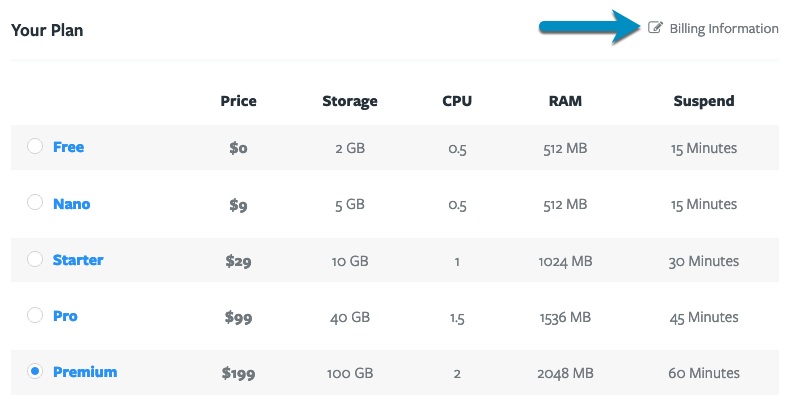
- Scroll down to Your Plan.
- Click the Billing Information link.
To update the billing email address
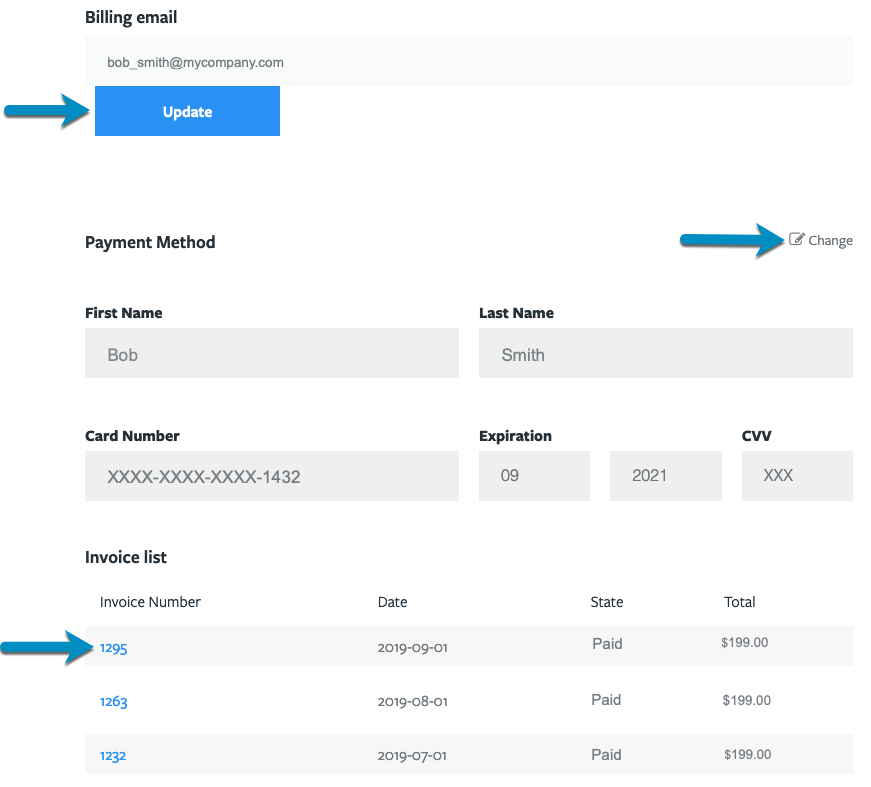
Click the Update button below the email address to update it.
To update the billing address
In the upper-right area of the Payment Method section, click Change to update the billing address.
To view or print invoices
In the list of invoices, click the linked invoice number to view the invoice. From here you will be able to print the invoice.
Visual Walkthrough
Go to username -> My Projects at the upper-right of the Tugboat dashboard.

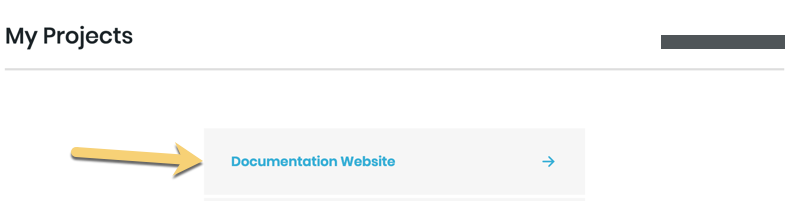
Select the project where you want to change the billing info.
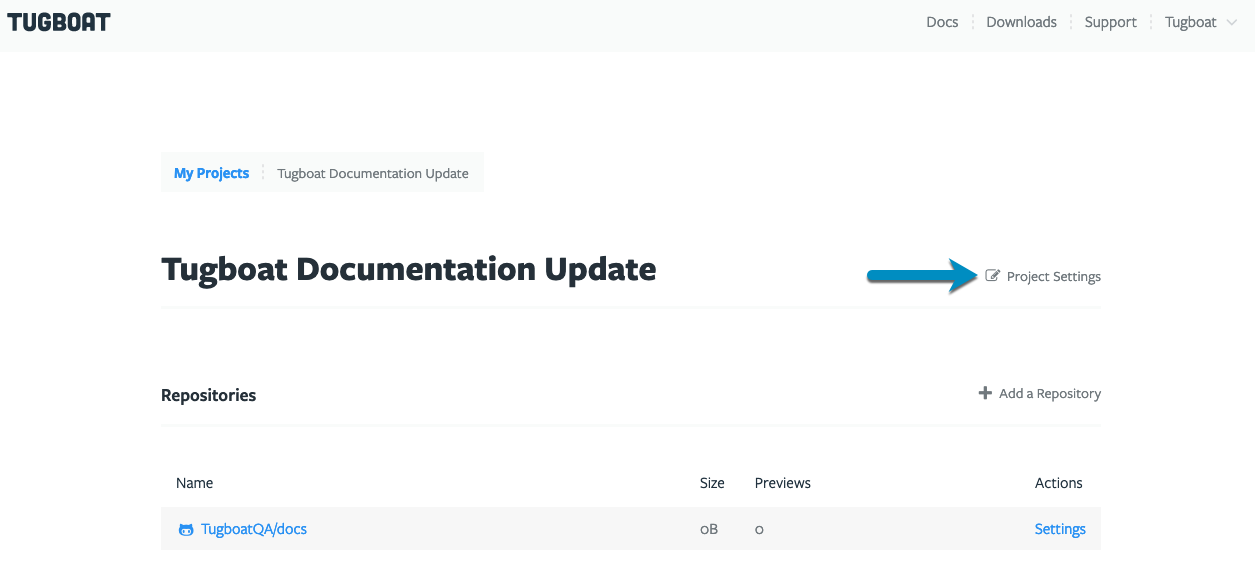
Go to Project Settings.
Scroll down to Your Plan.
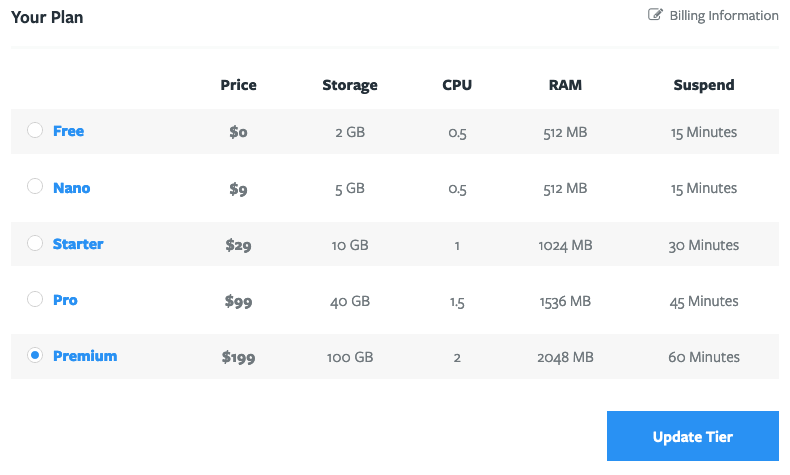
Click the Billing Information link.
From here, you can:
- Edit the email address associated with billing for the Tugboat project
- Update the billing address
- Edit the payment method
- View or print invoices